

The best home cinema projector is one that fits your room and the way you watch. A large image can make films, sports, and family movie nights feel special. But resolution alone cannot tell you whether that image will look convincing, whether the projector can be mounted in the right place, or whether its fan will be distracting above your seat.
Start with the room, screen, and source equipment. Decide when you will watch, how much daylight you can control, and whether the space also needs to work for golf simulation. That last point matters: a projector sold for a golf simulator can also be a capable movie display when its video features and installation suit both jobs.
This guide explains the checks that matter before you buy, using the BenQ LK936ST in Retreat Elite's projector collection as a practical example. The goal is a room you enjoy using, with fewer surprises after delivery.
Can a golf simulator projector be used for home cinema?
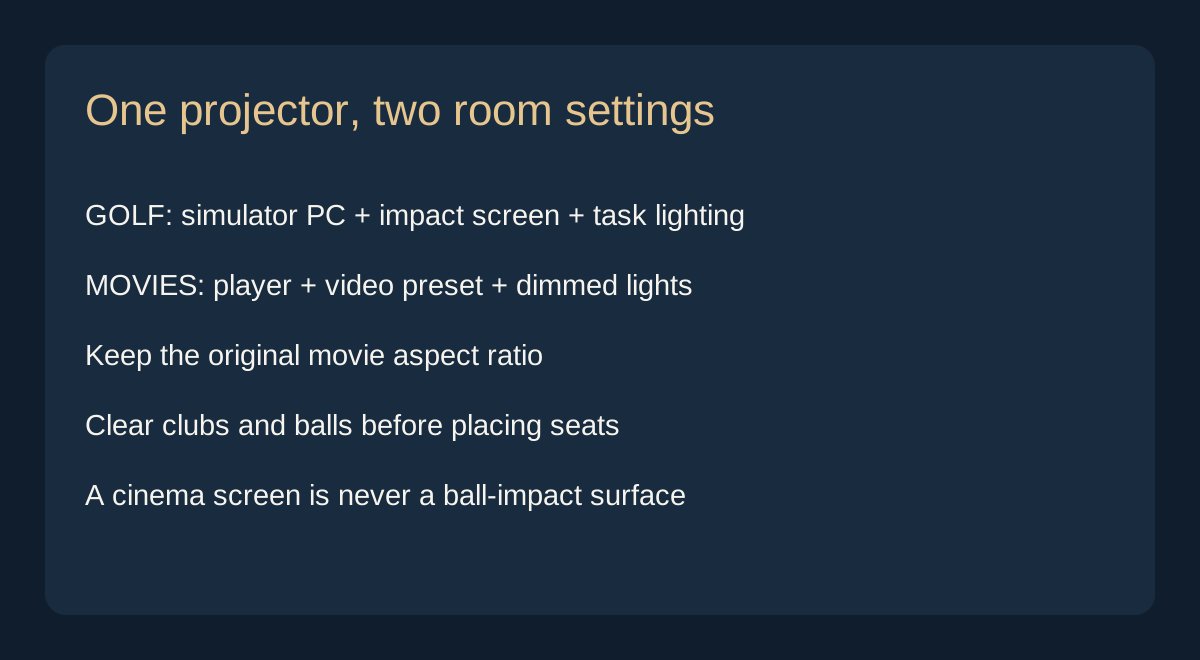
Yes, if the model supports the video signals and picture quality you need. A golf simulator projector displays an image supplied by another device. During a round, that device is normally a simulator computer. For movie night, the source can be a streaming player, Blu-ray player, console, or computer. The projector is not restricted to golf images simply because it is marketed for a golf room.
The crossover can be useful in a home where one room needs to earn its space. A bright short-throw design can fill a large screen from a relatively short lens distance, while leaving more flexibility behind the projector. Connect the entertainment source, select the correct input, change the picture setting, and dim the room for films.
BenQ describes the LK936ST as a dual-purpose golf simulation and family home theater projector. That supports its use for both activities. It does not mean every golf projector has the same movie performance, or that a shared room will match a purpose-built dark cinema.
There are four separate questions to settle: can the projector accept the movie signal, can its lens fill the intended screen, does the screen look good with video, and does the room stay comfortable for a whole film? A yes to the first question is only the beginning.
Choose a shared setup when golf, sports, and movies will all get regular use. Compare dedicated cinema models as well if films are the room's main purpose and you care most about dark-scene detail, quiet operation, and carefully controlled color. A versatile installation can be excellent without being the strongest option for every individual task.
A Retreat Elite example: BenQ LK936ST

The BenQ LK936ST 4K HDR Short Throw Laser Golf Simulator Projector is listed at $4,899 in Retreat Elite's catalog as of October 25, 2026. Price and availability can change. Check the product page before ordering; the ceiling mount is not included.
BenQ's published specifications list 5,100 ANSI lumens, 3840 × 2160 output, a 0.81–0.89 throw ratio, optical lens shift, and two HDMI inputs with HDCP 2.2. These are useful features for a short-throw room that combines simulation and entertainment.
Consider it for: a multipurpose golf and movie space where placement flexibility and a large image matter. Its short-throw lens deserves particular attention when a conventional projector would need to sit farther back than the room allows.
Compare alternatives for: a quiet, film-first cinema where the priority is subtle shadow detail rather than simulator use. Ask to see dark movie scenes, skin tones, and slow camera movement, rather than judging the projector only from a bright golf course demonstration.
Do not buy it simply because its brightest setting looks impressive. Choose it when the screen size, mounting position, source devices, and room conditions form a sensible match.
1. Match brightness to the screen and room
Brightness is useful, but a large lumen number cannot promise deep blacks in daylight. Light from windows and room fixtures lands on the screen as well as light from the projector. A projected black area cannot become darker than the illuminated screen surface beneath it. Curtains, shades, and lighting placement therefore remain part of a good projection system.
Compare brightness figures that identify a measurement method, such as ANSI or ISO lumens. Treat unqualified figures such as “LED lumens” or “peak brightness” cautiously. Even a standardized rating is not a measurement of the exact picture you will watch: changing the color mode, lens setting, or light-output setting can change usable output.
A simple planning estimate is foot-lamberts ≈ lumens reaching the screen × screen gain ÷ image area in square feet. A 120-inch 16:9 image covers about 42.7 square feet. If measured output in your chosen mode were 1,500 lumens and gain were 1.0, the estimate would be about 35 foot-lamberts. This is an illustration, not a prediction for a specific projector.
The formula does not model ambient light, black level, viewing angle, or HDR tone mapping. It cannot tell you that a daytime image will look good simply because the result exceeds a chosen number. A phone light-meter app also cannot replace a screen-luminance measurement and a viewing assessment.
For a dark room, compare contrast, color, and comfortable brightness together. For a shared room, reduce light falling on the screen before paying for extra output. For a room with uncontrolled direct sunlight, compare a television honestly. More brightness can help the visible image, but it cannot remove the light already hitting the screen.
Ask an installer to estimate output in the intended movie mode at your screen size. That is a more useful question than asking for a universal lumen target for every 120-inch screen.
2. Calculate throw distance before choosing a mount
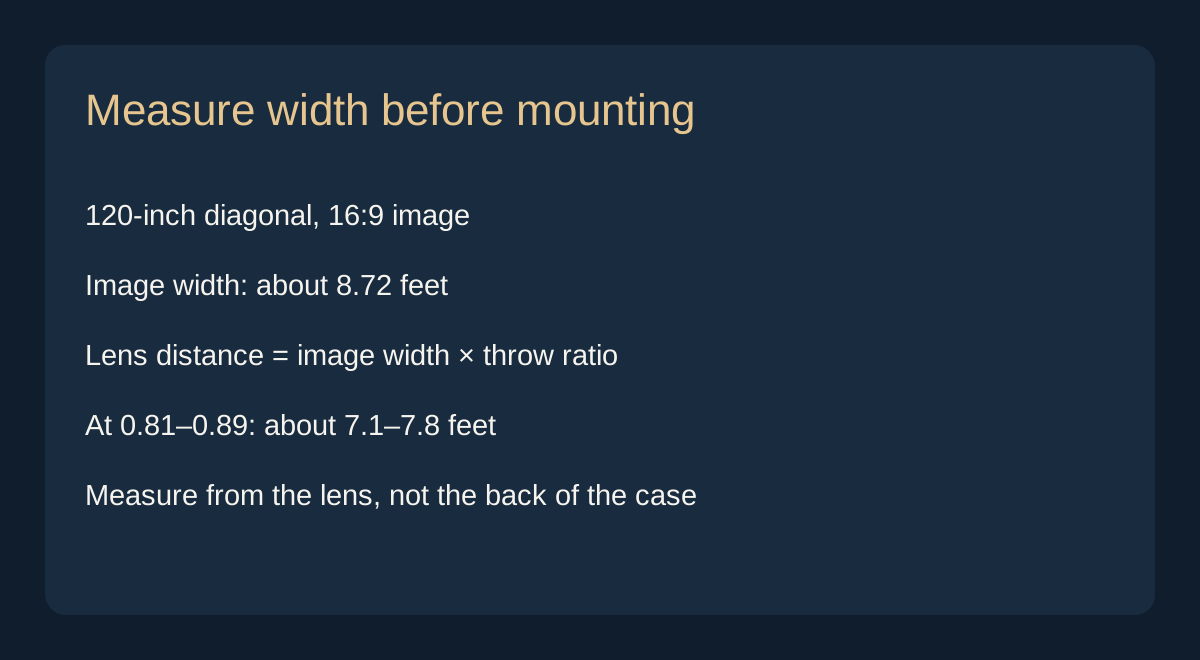
Throw ratio links image width to lens distance: lens-to-screen distance = image width × throw ratio. Use image width, not diagonal size. A 120-inch 16:9 image is about 104.6 inches wide, or 8.72 feet. At a 1.5 throw ratio, it needs roughly 13.1 feet from lens to screen.
For the LK936ST's published range, that same image implies about 7.1–7.8 feet. This is a preliminary geometry check, not a mounting instruction. Verify the exact image size and placement with the manufacturer's calculator and installation documentation before fixing the mount.
Measure from the lens, then allow for the projector body, connectors, ventilation, ceiling structure, and access to controls. A room that is eight feet deep does not automatically accommodate an eight-foot throw. The screen may stand forward of the wall, and the projector's rear connections may need space too.
Lens shift moves the image optically within the projector's permitted range. Keystone correction reshapes it digitally, potentially reducing the image area and detail available for the picture. Prefer physical alignment and lens shift where possible, then use digital correction sparingly.
For shared golf use, check the entire swing envelope and likely ball paths as well as the movie geometry. Nobody should have to swing cautiously around a projector, bracket, or cable. Have the simulator layout and mounting plan considered together rather than treating either as an afterthought.
A useful pre-purchase exercise is to mark the proposed screen corners with removable tape and sit in the intended viewing positions. You can assess scale and furniture clearance before committing to equipment. Keep the image plan separate from the room's overall floor dimensions.
3. Choose a screen that suits both activities
A golf impact screen and a cinema screen have different primary jobs. The impact screen must be suitable for repeated ball strikes and installed with the required tension, spacing, and protection. A cinema screen is designed around image presentation. Never hit golf balls toward an ordinary projection screen, even if its surface looks similar.
Movies can be projected onto a compatible impact screen, but the result depends on the material and condition. Texture, seams, wrinkles, marks, and movement can become noticeable in pale scenes, subtitles, and detailed images. A screen that makes course graphics enjoyable may still show compromises during a quiet, finely detailed film.
One approach is to use the impact screen for everything and accept those limits. Another is a separate retractable cinema screen, with professional planning for its position and protection. That second approach adds cost and must not create an unsafe ball-strike surface or interfere with the enclosure. Do not improvise a second screen inside an active hitting area.
Aspect ratio matters too. A tall golf enclosure may be 4:3 or another shape, while many programs use 16:9 and wider films add letterbox bars. Preserve the original proportions. Black bars are preferable to stretched faces or cropped subtitles. Check how the computer and projector handle each format before assuming the whole surface will always be filled.
For movie-only projection, a matte white screen is a straightforward starting point in controlled light. Ambient-light-rejecting materials require more care. BenQ's ALR screen guidance explains that material must suit the projector's throw geometry and the direction of room light. A screen designed for an ultra-short-throw projector is not automatically suitable for a ceiling-mounted short-throw model.
Ask for confirmation of compatibility with the exact projector and placement. Screen gain alone is not that confirmation. Consider the view from side seats as well as the center, and obtain a material sample when possible.
4. Separate 4K detail from HDR performance
“Supports 4K” and “displays a 4K image” do not always mean the same thing. A projector may accept a 4K source and display it at a lower resolution. Read the output specification as well as the accepted input formats. A product title is not enough to settle the question.
At a large image size, good resolution can make fine textures, text, and distant detail look clearer. How much you notice depends on seating distance, source quality, focus, screen texture, and eyesight. There is no universal screen diagonal at which every viewer suddenly needs 4K.
HDR is a separate consideration. A compatible input means the projector can receive a supported high-dynamic-range signal; it does not establish how convincingly it will display highlights and shadows. Projectors must map that signal to the brightness and contrast they can produce. A well-balanced picture matters more than an HDR badge.
Compare familiar scenes with bright highlights and dark backgrounds. Can you see detail without making the whole picture appear dull? Do skin tones remain believable? Can you read subtitles without an uncomfortable jump in perceived brightness? These observations make a demonstration more useful than a short clip chosen to flatter the equipment.
Check the full signal path too. The player, receiver or switch, cable run, and projector must support the intended format. If one link forces the source into a lower-quality output, buying a more capable projector alone will not fix the experience.
5. Look beyond the advertised contrast ratio
Contrast helps a projected image feel dimensional. It also affects whether a night scene looks rich or turns into a flat gray field. A huge advertised contrast ratio does not tell the whole story, especially if it includes dynamic light-source dimming rather than describing dark and bright details visible together.
Ask how the contrast figure was measured and what the projector does during real scenes. Do not compare unrelated numbers as if they came from the same test. A dark-room demonstration with material you know is more informative than choosing the largest ratio on a comparison chart.
The room contributes to the result. Light-colored walls and ceilings can reflect image light back onto the screen. A projector change cannot fully compensate for a room that repeatedly brightens its own screen surface. Consider controllable lighting and less reflective finishes where they fit the home's design.
In a shared golf room, it is reasonable to prioritize clear daytime graphics and a pleasant evening movie image rather than perfect cinema blacks. Decide that trade-off deliberately. For a dedicated theater, make dark-scene performance a leading selection criterion.
Our guide to home theater versus living room setups can help you decide how much control the room should give you before you select the display.
6. Plan quiet operation, seating, and safe changeovers
A projector can look impressive and still be distracting if its fan sits directly above your head. Check the operating noise for the mode you expect to use, then consider the mounting position. A reduced-output mode may suit evening viewing, but confirm that the image remains bright enough for the chosen screen.
Leave all required ventilation space. Do not place the projector in an unventilated decorative box to hide the fan or improve its appearance. Ask how the installation allows cleaning, inspection, and eventual service without taking the room apart.
For a shared room, create a clear changeover routine. End simulator play, put away clubs and loose balls, and move seats only into the planned movie positions. Keep cables out of walkways and preserve a clear exit. Seating should never remain inside an active swing area.
Before choosing home theater seating, check the screen from both upright and reclined positions. Leave room for footrests and movement behind the seats. An inviting room with fewer good seats is more useful than a crowded room where several guests have a poor view.
For a dedicated installation, our guide to whether a custom home theater is worth it covers the broader commitment. The projector is one part of that decision.
7. Make switching sources and sound straightforward
Plan a source for golf and a source for movies. A simulator computer can sometimes handle both, but a separate streaming or disc player may make movie night simpler. Confirm the services and formats you need instead of assuming a projector includes built-in apps or that a computer will stream every service at its highest quality.
Draw a simple connection plan before purchasing cables. Identify which device sends the picture, where sound is decoded, and how the household changes inputs. A receiver or suitable switching system can help, but it must support the required video formats and cable lengths.
Do not assume Bluetooth supplies a complete cinema audio solution. Check compatibility, possible delay, and the way dialogue stays synchronized with the picture. Plan the audio route explicitly, whether it leads through a receiver, a compatible soundbar arrangement, or another supported connection.
Test the actual movie source, not just a laptop desktop. Play a protected streaming title or disc, check audio, and try switching back to the simulator. Confirm that the picture returns at the intended resolution without forcing someone to change several computer settings each time.
Keep two short operating notes in the room: one for golf and one for movies. Each should identify the input, picture setting, sound control, and lighting. The shared-room advantage is strongest when anyone in the household can make the change confidently.
Budget for the complete system and ongoing use
Build the budget from actual line items rather than automatically adding a percentage to the projector price. A room with a suitable screen and receiver has a different starting point from an empty room. A shared simulator may also need protection, impact-screen hardware, or a screen changeover arrangement that a movie-only room does not.
Include the screen, mount, cabling, source player, audio, window treatments, installation, and any electrical work. Confirm tax and delivery charges where applicable. Keep simulator costs such as the launch monitor, computer requirements, and software separate from the movie equipment budget so neither gets overlooked.
As an illustrative planning allowance, a $4,899 projector plus $1,200 for a screen, $250 for a mount and cabling, $150 for a player, and $800 for installation totals $7,299 before tax. Those additional amounts are hypothetical, not quotes or market averages. Audio, room alterations, and simulator equipment are excluded. Replace every allowance with a quotation for your room.
Light-source life also needs careful interpretation. BenQ's LK936ST specification sheet gives a 20,000-hour normal-mode laser rating. A rated light-source life is not a promise of unchanged brightness, a warranty term, or the service life of every component. Check the current warranty and service arrangements separately.
For electricity, multiply power in kilowatts by hours used and your local rate. A hypothetical 400-watt system running four hours daily uses about 584 kWh a year. At an assumed $0.18 per kWh, that is about $105 annually, excluding other equipment. Use the actual projector mode and local bill for a meaningful estimate.
A laser model avoids routine replacement lamps, but that alone does not guarantee a lower five-year total cost. Purchase price, usage, service, and installation all contribute. Choose for the complete ownership picture.
Before you order: a room-first checklist
- Room: identify viewing times, window light, and lighting controls.
- Image: agree on width, aspect ratio, and comfortable seating positions.
- Placement: verify lens distance, shift limits, ventilation, and mounting support.
- Screen: confirm exact material compatibility and any impact-safety requirements.
- Sources: check movie playback, simulator output, cables, and audio together.
- Daily use: confirm noise, controls, and a safe furniture changeover.
- Cost: obtain a full installed estimate and review warranty terms.
Use Retreat Elite's projector range alongside your room measurements. If you are considering the LK936ST for shared golf and cinema use, send the intended screen size, lens location, room photographs, and source devices through our contact page. Specific details make the product conversation more useful and help identify installation questions before you commit.
A successful room does not depend on filling it with the longest equipment list. It depends on choosing a display, screen, sound system, and seating that work together for the activities you will actually enjoy.
Frequently asked questions
Can I watch movies on a golf simulator projector?+
Yes, when the projector accepts your movie source and supports the required formats. Connect a compatible player or computer, select a suitable video setting, and control room light. Check the screen surface, sound connection, and fan noise as well. Golf branding does not restrict the projector to simulator graphics.
Can I use a golf impact screen for movies?+
Often, but picture quality depends on its material, flatness, cleanliness, and aspect ratio. Texture or impact marks may be more apparent in films than in simulator graphics. Preserve the original movie proportions. An ordinary cinema screen must never be used as a ball-impact screen.
How many lumens do I need for home cinema?+
There is no single correct figure. Screen area, gain, usable output in the selected picture mode, and ambient light all matter. Ask for an estimate for your actual screen and room. Extra brightness cannot restore dark blacks when sunlight is falling on the screen.
Is short throw the same as ultra-short throw?+
No. The terms describe different lens geometries and placement requirements. Check the exact throw ratio and manufacturer instructions. A screen designed for an ultra-short-throw projector may be unsuitable for a conventional short-throw installation, including a ceiling-mounted golf projector.
Does a projector that supports 4K always display 4K?+
No. Some projectors accept a 4K input and display a lower-resolution image. Check the displayed resolution separately from input compatibility. Also assess focus, contrast, color, and source quality, because resolution alone does not determine the viewing experience.
Is a projector better than a television for a bright room?+
A television is often the more practical choice when daylight cannot be controlled and easy daytime viewing is the priority. A projector suits people who value a larger image and can manage the light reaching the screen. Compare both approaches in the conditions you will actually use.


